> For the complete documentation index, see [llms.txt](https://esmp-fun.gitbook.io/plugins/llms.txt). Markdown versions of documentation pages are available by appending `.md` to page URLs; this page is available as [Markdown](https://esmp-fun.gitbook.io/plugins/markdown-guide/writing-pages/boxes-and-tables.md).
# Boxes and tables
## Boxes
For the things people skim past. Start a quote with the kind of box:
```markdown
> [!TIP]
> Demolishing a town refunds the coins you spent expanding it.
```
| First line | For | Colour |
| ---------------- | ------------------------------ | ------ |
| `> [!NOTE]` | Something worth knowing | Blue |
| `> [!TIP]` | A shortcut or a good idea | Green |
| `> [!IMPORTANT]` | Something not to skip | Purple |
| `> [!WARNING]` | Something to be careful with | Yellow |
| `> [!CAUTION]` | Something that can't be undone | Red |
The text can go on the first line too: `> [!NOTE] Towns can be renamed.`
Each box's colours, title and marker are set by `callout-note`, `callout-tip` and the others in [style.css](/plugins/markdown-guide/look-and-layout/style.md).
## Tables
```markdown
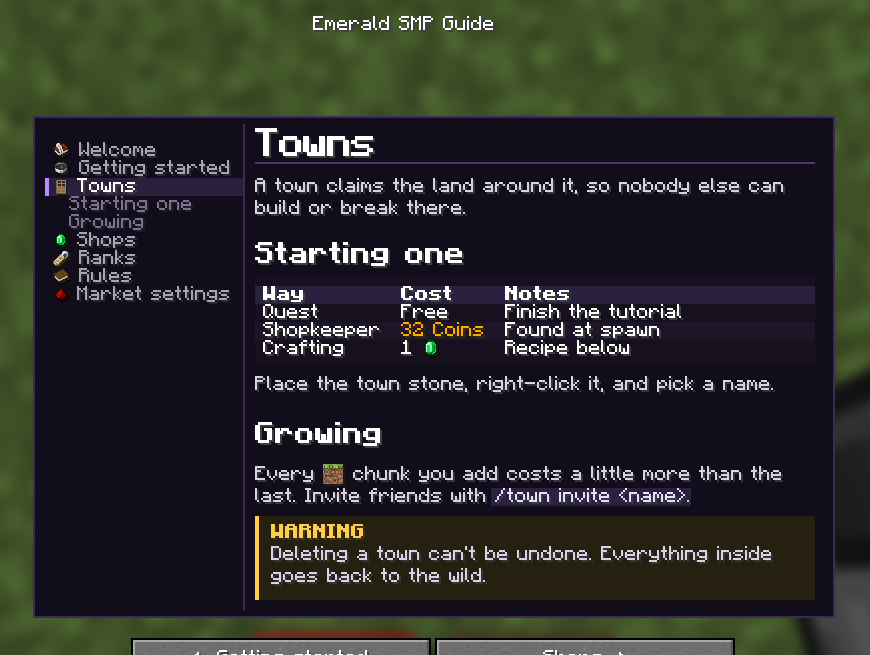
| Way | Cost | Notes |
|---|---|---|
| Quest | Free | Finish the tutorial |
| Shopkeeper | 32 Coins | Found at spawn |
| Crafting | 1  | Recipe below |
```
The first row is the header. Columns line up to the pixel, and every other row gets a band of its own so rows are easy to follow.
A table too wide for the page is shown as one `Header: value` line per cell instead of being squashed, so keep tables to a few short columns.
{% hint style="info" %}
**In the editor**, **Insert**, then **Table**, lets you pick the size by pointing at a grid.
{% endhint %}